
Twins: creating and training yours
Build a Twin, decide what it learns from, choose who can talk to it, and see what people use it for.
What a Twin is
A Twin is an AI model of you. It is permission-based: it exists only because you built it and gave permission for it. It captures patterns in how you take in information, weigh a decision, communicate and tend to respond, so others can prepare and rehearse before talking to you.
Other people in your organization can talk to your Twin to prepare for a conversation with you. A Decision Simulation, which tests a decision against the people involved before acting, can include your Twin so that your perspective is represented when you are not there.
A Twin is a tool for preparation and practice. It does not act for you, it does not make decisions on your behalf, and it does not guarantee how you will actually respond. It does not speak in an imitation of your voice or appear in video. You decide what it learns from and whether it stays active.
Build your Twin
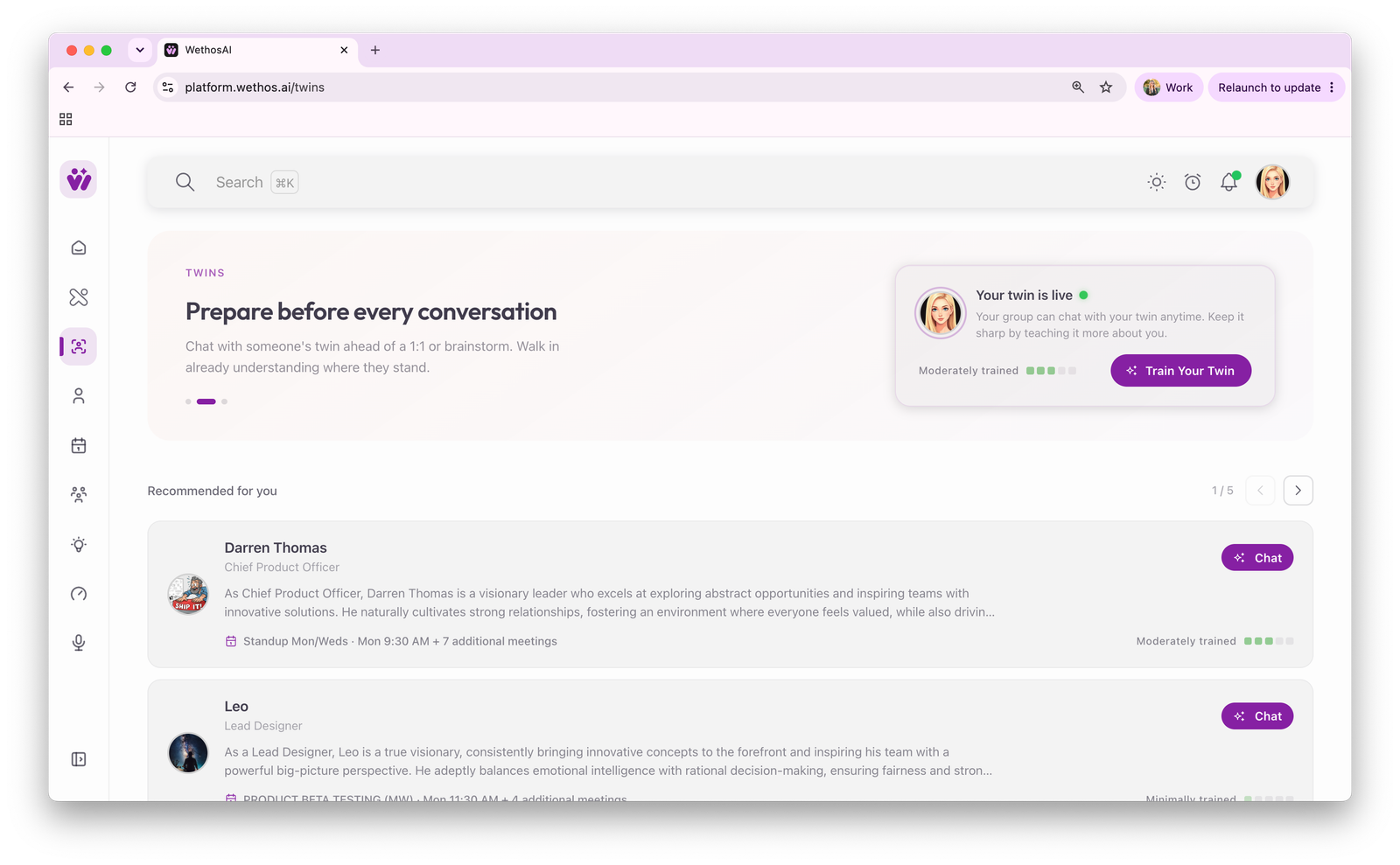
Click Twins in the left-hand menu. Your Twin starts from your profile, meaning the four dimensions and the traits and tendencies drawn from them, together with the About Me section of your profile page.
Add material. Give your Twin documents about you: a resume, things you have written, notes on how you like to work. The more it has to learn from, the more specifically it answers.
Record memories. Have a conversation with your Twin and tell it what you think. Explain how you reached a decision, what you want people to know before they bring you a proposal, or where you will not compromise. Each conversation teaches it something.
Watch the training level. The Twins page shows how much your Twin has learned so far. A Twin with little to learn from gives thin answers.
Who can talk to it
People in your organization can talk to your Twin, within whatever access your organization's settings allow. You control what your Twin learns from and whether it remains active. To ask about your data, see the privacy policy or request deletion.
Nothing your Twin learns is used to train AI models shared with other customers.
What people use a Twin for
- Preparing for a meeting with you. Someone who is about to bring you a recommendation asks your Twin how you are likely to read it, what you will probably ask first, and where you are likely to object. They arrive better prepared, and the meeting goes faster.
- Learning how you think before working with you. A new collaborator learns how you tend to make decisions without a week of guessing.
- Practicing a difficult conversation. Someone who has to bring you bad news, or disagree with you, can practice first.
A conversation someone has with your Twin belongs to them and is private to them. It is their preparation for a conversation with you. It is not a report about you, and it is not shared with you.
Talking to someone else's Twin
The Twins page suggests Twins of people you work with. Open one and ask what you would want to know before the real conversation. For example: "How will she react to a proposal that moves budget away from her team?" or "What does he want to see before he agrees to a timeline?"
Treat the answer as a guess to test in the real conversation. A Twin describes how someone tends to work. The person makes the decision.
Twins in a Decision Simulation
A Decision Simulation tests a decision against the people involved before acting. A person who has not created a Permissioned Twin can be represented by an Observed Twin, which is a less detailed model built from customer-approved organizational context and relevant publicly available professional information and which does not create a Permissioned Twin. Observed Twins (Virtual Members) explains the difference, and Running a Decision Simulation shows how to run one.
Humans decide
Your Twin helps people anticipate, prepare and rehearse. It does not assume your identity, authority or judgment, and it does not predict exactly how you will respond. Final decisions remain with people.
On mobile
Your Twin is available in the WethosAI apps for iOS and Android, so you can train it and consult it away from your desk.