
Assigning licenses
AdminAllocate and remove platform seats.
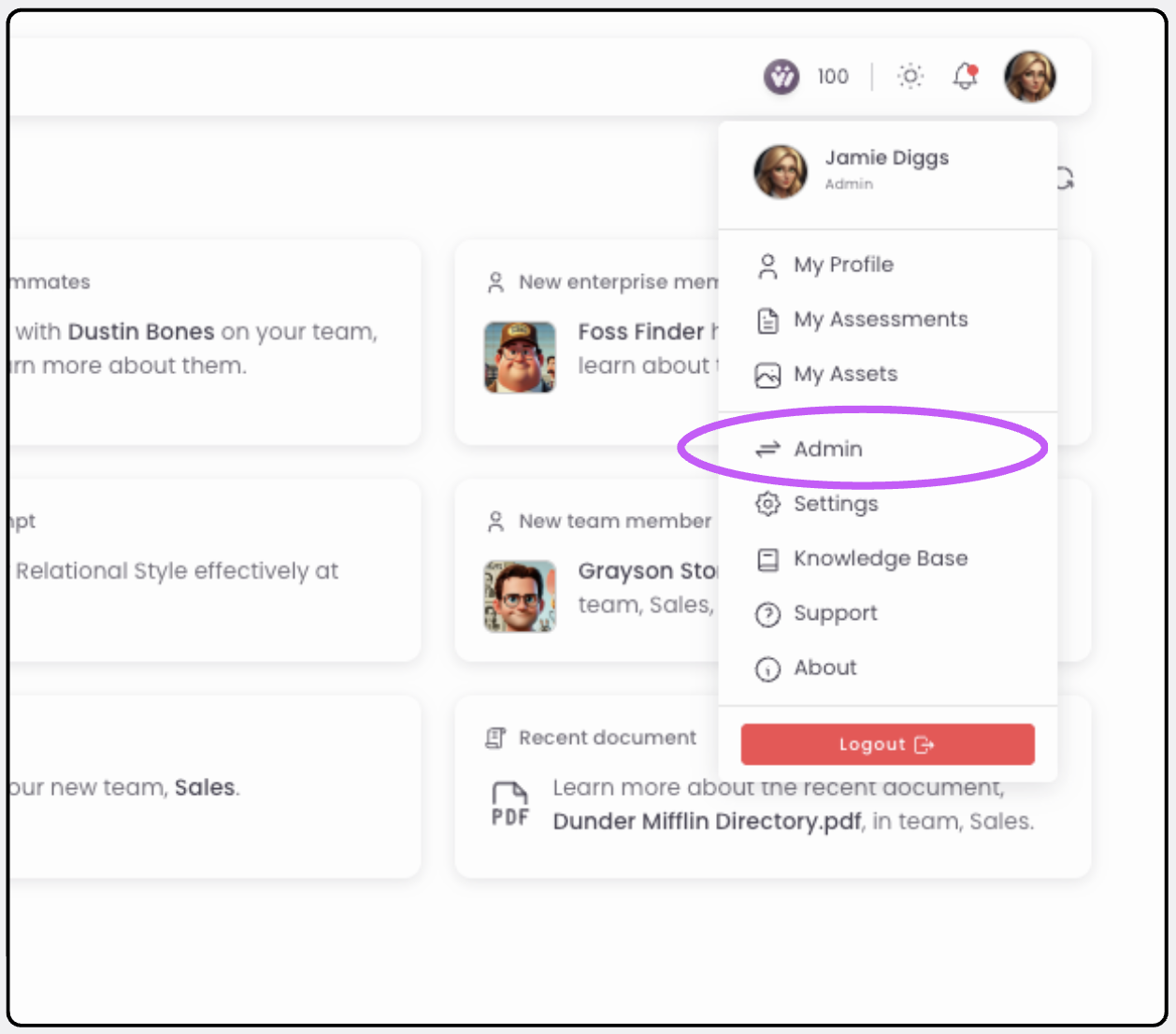
Open the Admin view
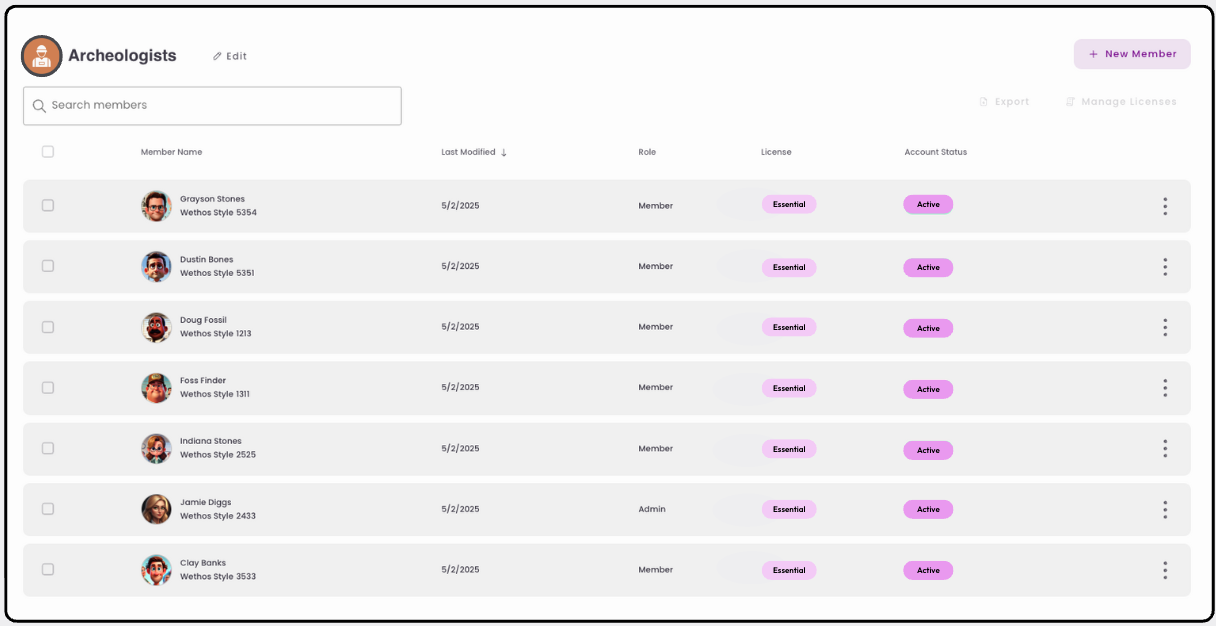
Go to Manage Members
Select the Manage Members tab on the left-hand side.
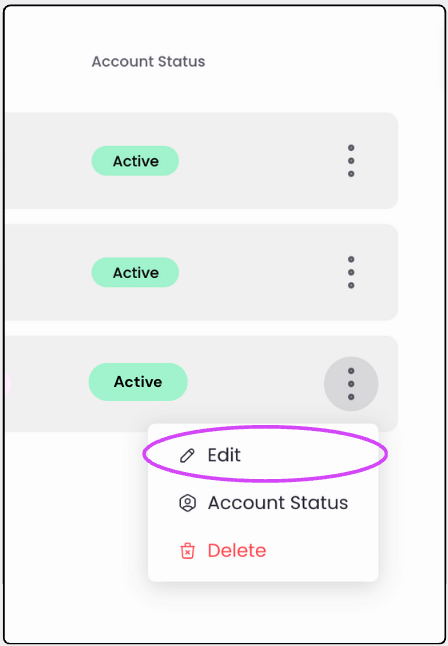
Edit the member
Click Edit next to the member you want to update.
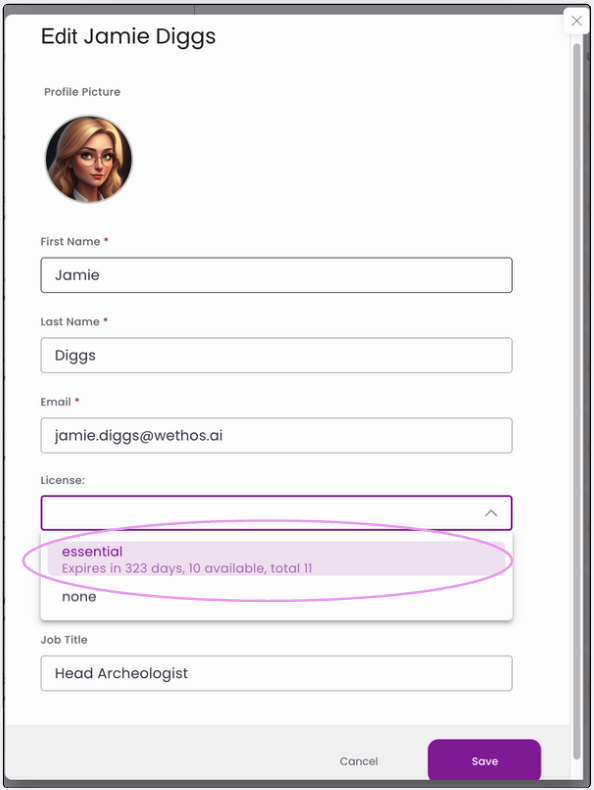
Choose a license type
Select the License type based on what your organization has purchased. To remove a member's seat and platform access, select None.
Confirm access
The assigned member now has access to their account.
Was this article helpful? Reach out if you need more.Contact support