
Brainstorms, Breakouts and Simulations
Brainstorms, Breakouts and Simulations, and the group workspace they run in.
Overview
WethosAI gives you three kinds of workspace for working through a decision with other people.
A Brainstorm is a workspace for one decision or initiative. It holds the people you invite, the documents you attach, the conversation, and a record of what was decided and why. XO, the AI assistant, takes part as a member.
A Breakout is a smaller conversation inside a Brainstorm, for a side question that only some of the people need to work on.
A Simulation is a Brainstorm that AI participants run first, before the real people join. The participants are Twins (AI models of people who have built one), Virtual Members (models of people who are not on the platform) and Experts (AI participants who speak for a role, such as a chief financial officer). The Simulation shows you how the discussion is likely to go before it happens for real.
All three happen inside a group, which is a standing workspace an admin creates for a department, a leadership team or a project.
Quick reference
| Brainstorm | Simulation | Breakout | |
|---|---|---|---|
| What it is for | Working one decision or initiative through to a conclusion | Seeing how the discussion is likely to go before the people are in it | Working on a side question with a smaller set of people |
| Who takes part | The people you invite, plus XO. You can add Experts and Virtual Members. | Twins, Virtual Members and Experts. Your people join after it converts to a Brainstorm. | A subset of the Brainstorm's members |
| How long it lasts | Until the goal is met. Then it stays as a record. | Until the simulated discussion concludes. Then it becomes a Brainstorm. | Until the side question is answered. Then its results go back to the Brainstorm. |
| Typical uses | Projects, strategic questions, anything that ends in a decision | Preparing for a decision, finding out what objections to expect, testing a plan | Parallel workstreams, side questions, discussions that need a smaller audience |
| What XO does | Takes part as a member: summarizes, points out where the discussion is going wrong, suggests next steps | Guides the simulated discussion and summarizes it | Helps when asked, with summaries and syntheses |
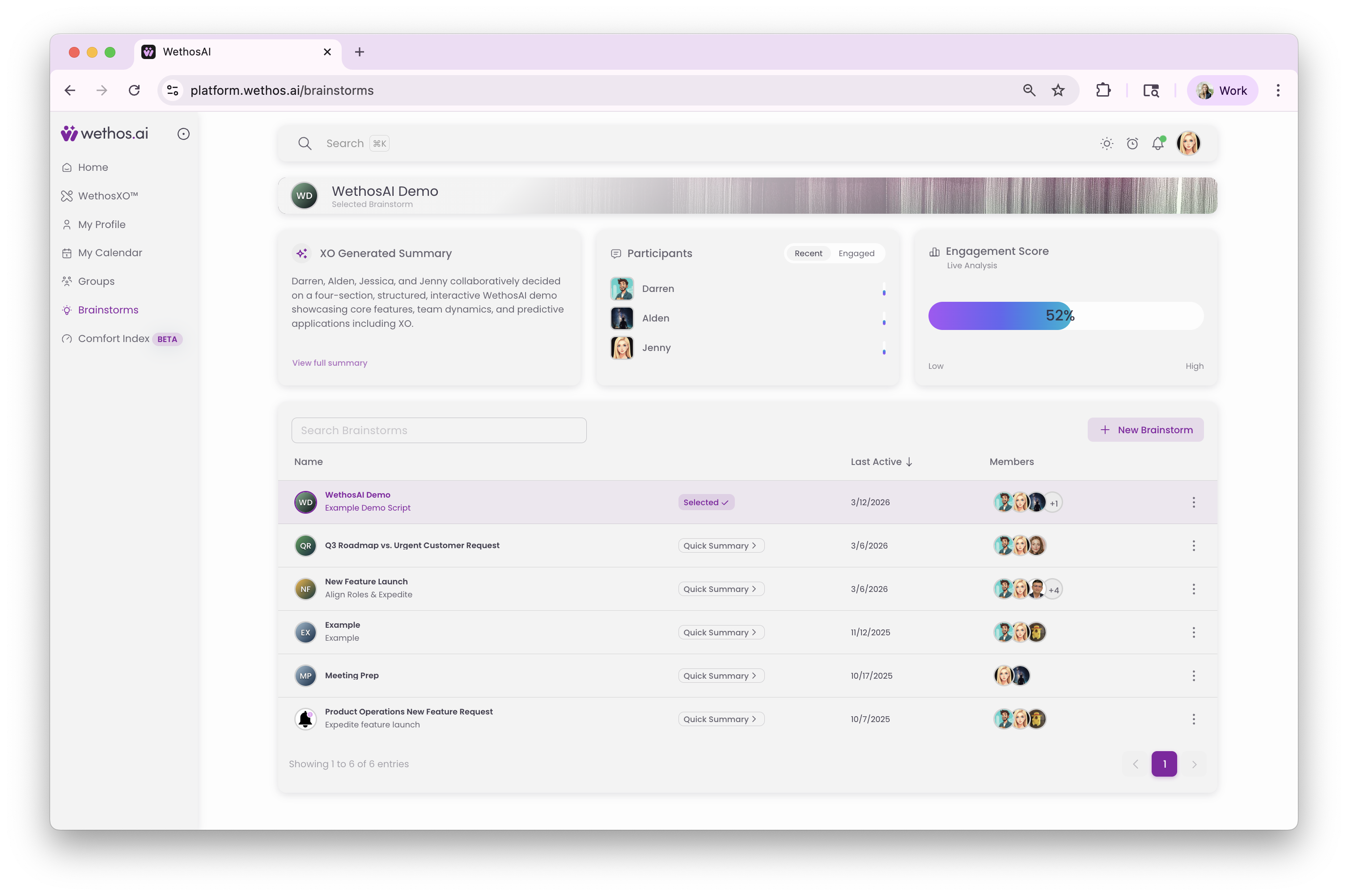
Brainstorms
A Brainstorm is a workspace for one initiative, with a defined outcome and a defined set of people. You choose who takes part, so the people in a Brainstorm are the people the decision needs, not everyone in a department.
Inside a Brainstorm you will find:
- A conversation area, where the discussion happens.
- An Artifacts panel, which holds the documents attached to the Brainstorm so that XO and every participant can refer to them.
- The Experts and Virtual Members panels, where you add AI participants for perspectives that nobody in the group holds.
- Breakouts, for side questions.
- A Decisions Hub, which records each decision along with the point in the conversation where it was made and the people who contributed.
XO takes part as a member. It summarizes long threads, points out when the discussion is fixing on the first idea it heard or agreeing too quickly, and suggests next steps.
When the initiative is finished, the Brainstorm and its decisions stay as a record you can search. Every Brainstorm in a group is listed on the group's Brainstorms page.
Breakouts
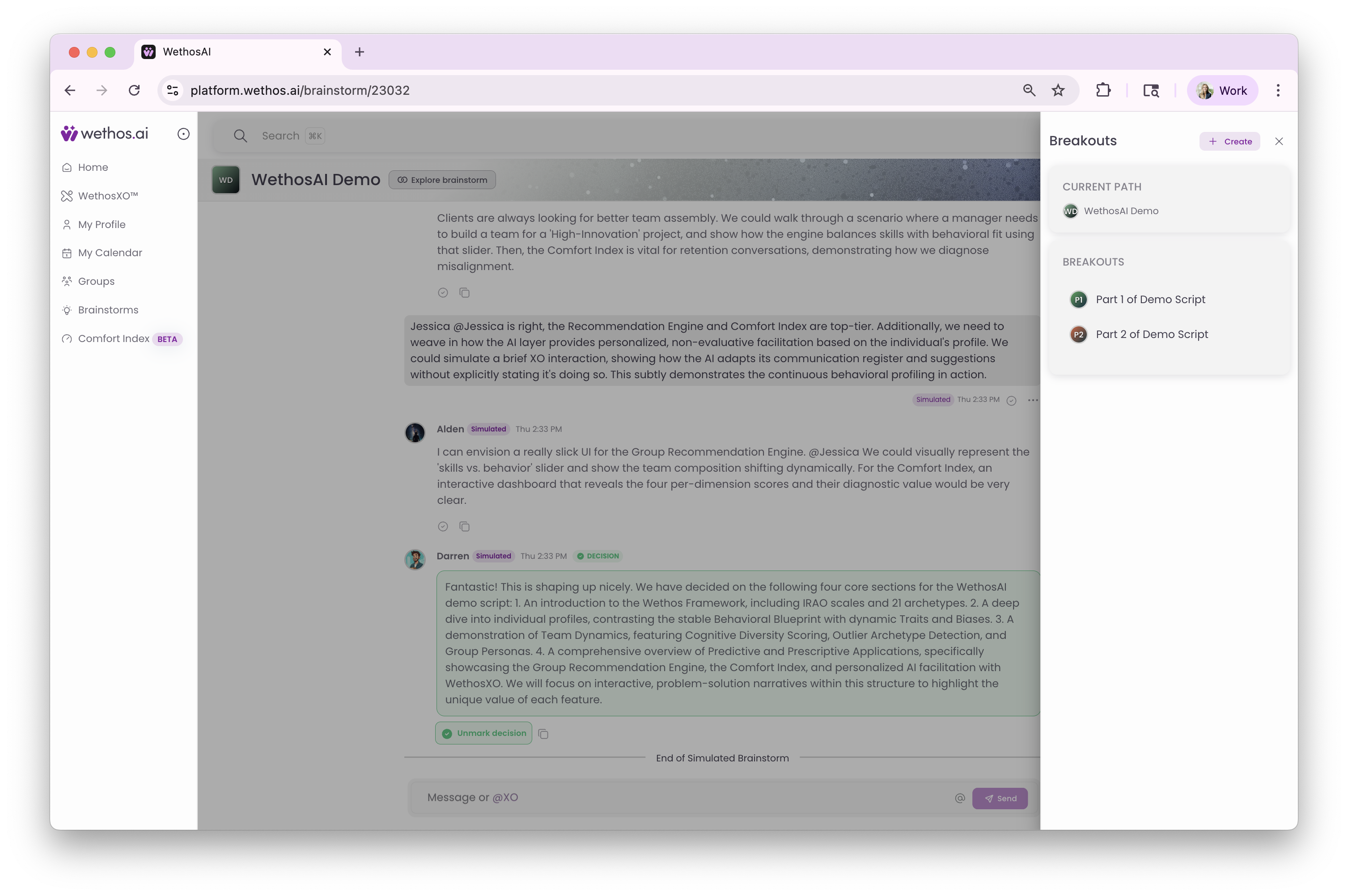
A Breakout is a smaller conversation inside a Brainstorm. When a side topic comes up, or a question needs more depth, or a discussion involves only some of the people, a Breakout gives that work its own space without interrupting the main thread.
A Breakout has the same parts as a Brainstorm, with its own conversation, its own list of members and its own documents, but it includes only the people who need to be there. A Breadcrumb Trail at the top of the screen shows the path from the main Brainstorm to the Breakout, so you can always see where you are.
Several Breakouts can run at the same time inside one Brainstorm. When a Breakout has answered its question, you can publish its results back into the main Brainstorm. Any decision made in a Breakout also appears in the main Brainstorm's Decisions Hub when you turn on Show Descendant Decisions.
Simulations
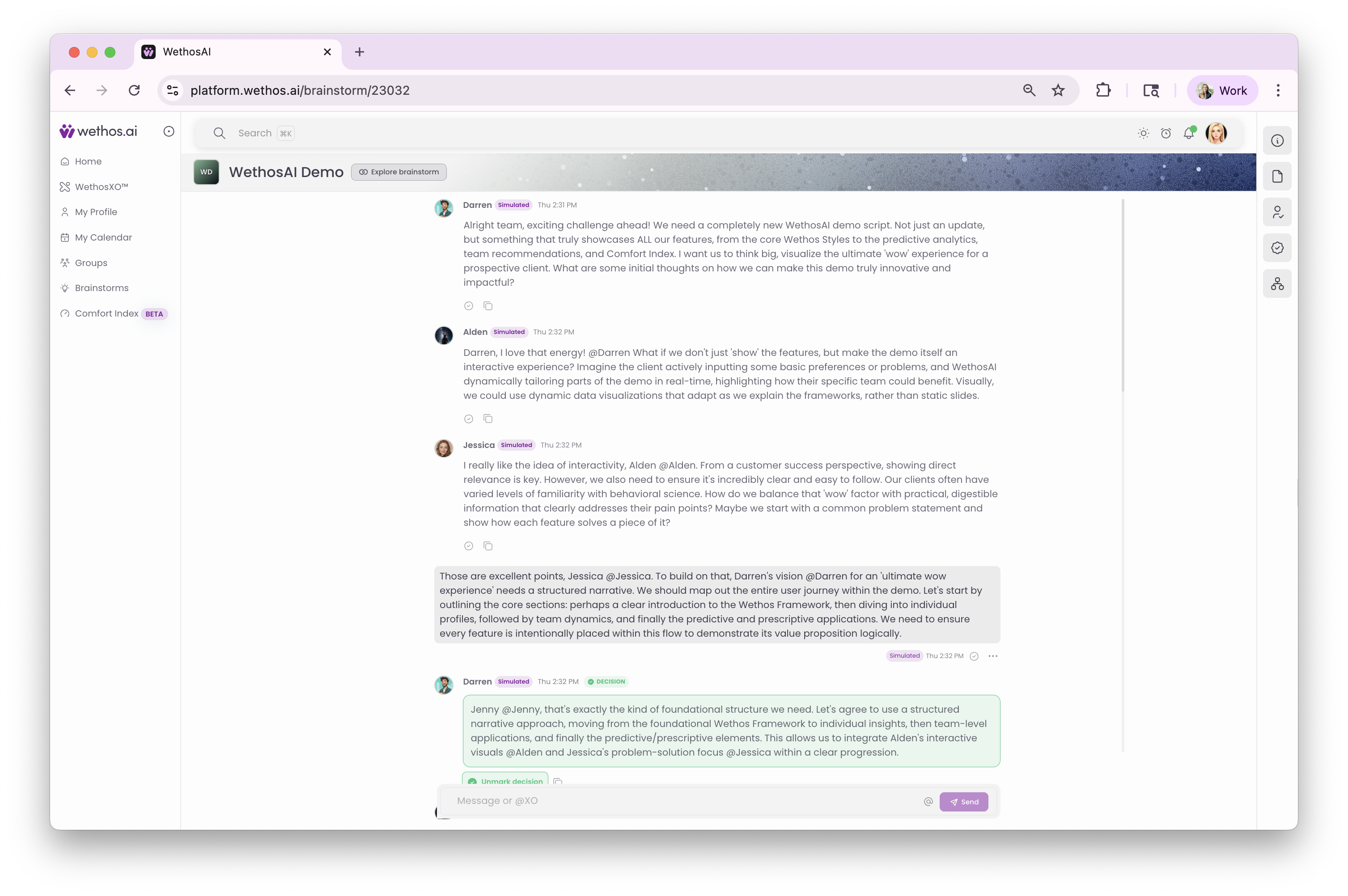
A Simulation runs the discussion before your people join it. In the product you start one by creating a Simulated Brainstorm. The participants are the Twins of people who have built one, Virtual Members for people who have not, and any Experts you add. They work through the question the way the real people would: they disagree, weigh the tradeoffs and raise the risks, rather than agreeing on the first answer.
The result is a set of decisions, each with its reasoning laid out so you can follow how the discussion got from disagreement to conclusion. When the Simulation ends, it turns into an ordinary Brainstorm. Your people join it, read the decisions, ask XO about the documents, and carry on from there instead of from a blank page.
A Simulation is useful when you want to explore options before a leadership decision, when you want to know what objections to expect before an important meeting, when you want to test a plan against the people who will have to carry it out, or when you want an early discussion to start from something rather than nothing.
For a step-by-step guide, see Running a Simulation.
The group
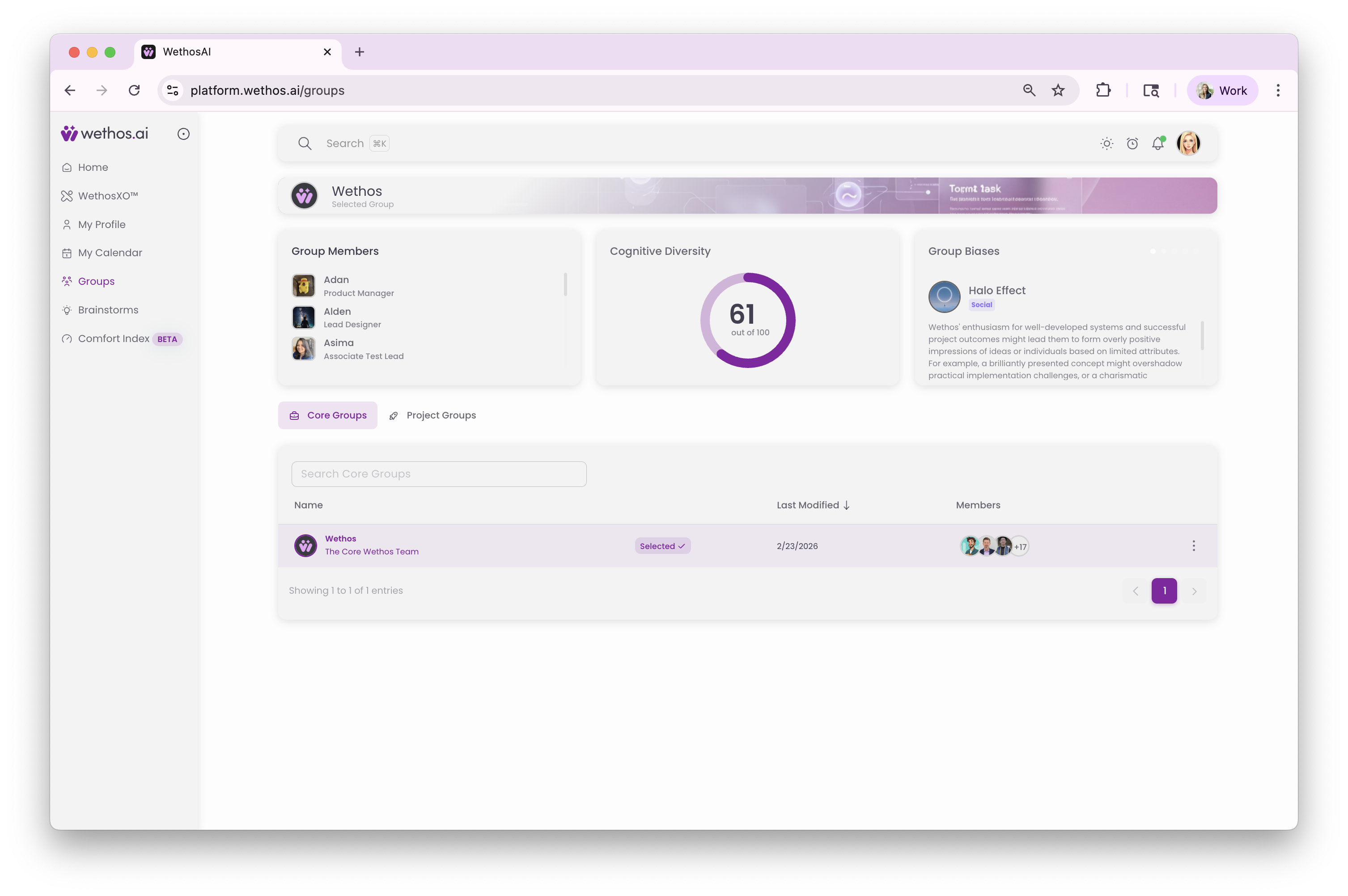
A group is the standing workspace that Brainstorms and Simulations happen inside. A Core Group is for a set of people who work together on an ongoing basis, such as a department or a leadership team. A Project Group is set up for one initiative that crosses departments. A group has an Overview, a list of members, a Documents area, XO, and Shared Conversations. Any Brainstorm started inside a group can use the group's documents and the profiles of its members.
Admins create groups. Creating a Core Group shows how.
How they fit together
From a group to a Brainstorm to Breakouts. A group has a question to settle. Someone creates a Brainstorm to work on it. Breakouts are opened for side questions. Their results come back to the Brainstorm, and the decisions stay with the group as a record.
From a Simulation to a Brainstorm to Breakouts. A Simulation explores the question first, with the AI participants raising objections and surfacing risks. It turns into a Brainstorm, where the real people pick up from that starting point and open Breakouts as needed. Decisions made in Breakouts flow up into the Brainstorm's Decisions Hub.
Good practice
For Brainstorms
Begin with a clear, specific outcome. Invite the people whose agreement the decision needs, even if that means crossing departments. Ask XO for a summary when the thread gets long, or ask it whether the discussion is settling too quickly. Record decisions as they happen so they do not get lost in the conversation. Close the Brainstorm when the goal is met. The record stays.
For Breakouts
Open a Breakout as soon as a side question needs its own space, before the main thread gets crowded. Include only the people who need to be there. Publish the results back so the rest of the Brainstorm can see them.
For Simulations
Take time over the setup. A clear goal, a specific description and the right documents produce a Simulation worth reading. Choose participants because the decision involves them, not because of their titles. Read each decision before your people take over, and treat the Simulation as preparation for the decision, never as the decision itself.
Getting help
Email support@wethos.ai, or use the support form under your profile picture.